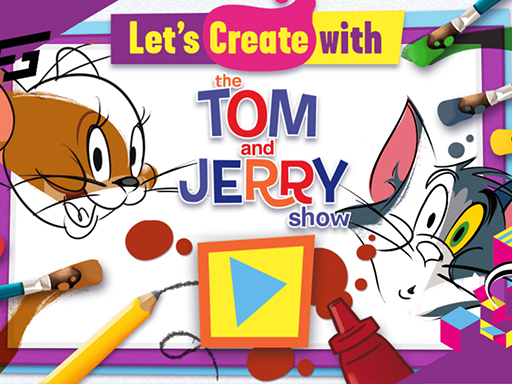
Lets Create with Tom and Jerry
Game Overview
Play Lets Create with Tom and Jerry: Bring Classics to Life!
Are you ready to unleash your artistic flair alongside Hollywood’s most famous feline and rodent? Lets Create with Tom and Jerry reimagines the timeless rivalry of a classic duo through a lens of immersive interactive artistry. Available directly within your web browser, this HTML5 title transforms static black-and-white sketches into vibrant, personalized masterpieces. We have tested this creation tool ourselves and found it delightful for all ages, offering a seamless way to engage with nostalgia without any complex installations or downloads required on your device.
What's the Core Gameplay?
Your primary objective is simple yet incredibly satisfying: bring monochrome scenes to full, living reality. Using your mouse, you will navigate the intuitive interface located around each picture canvas. Select your preferred palette to fill the pages with vivid colors, applying specific filters and decorative stickers to customize every corner of the screen. The gameplay loop encourages continuous experimentation, allowing you to draw new lines or erase mistakes until your artistic vision is perfectly realized on the screen.
Key Features
- Iconic Characters: Feature beloved cartoons like Tom and Jerry to spark recognition.
- Versatile Tools: Access an extensive variety of brushes specifically designed for painting.
- Accessible Gaming: Play instantly on mobile and desktop browsers without lag.
- Educational Fun: Promotes essential creativity and fine motor skills development for kids.
Why You'll Love It
This title is perfect for family game nights or quiet afternoons focused on pure relaxation. Whether you want to challenge your color matching accuracy or simply enjoy the boundless freedom of digital doodling, Lets Create with Tom and Jerry delivers stress-free entertainment that rivals premium apps. It successfully bridges the gap between traditional paper coloring books and modern digital technology, making it an ideal educational choice for young artists eager to express themselves safely online.
Click to start creating your own legendary masterpieces today!
How to Play
How to Play Lets Create with Tom and Jerry: Your Complete First-Time Guide
Welcome to your adventure in creativity! Getting started with this game is incredibly simple, designed to let you relax and have fun immediately. You do not need to worry about complex rules or fast reflexes; everything is here to help you express your imagination safely and easily. By reading this guide, you will learn exactly how to pick up your virtual tools and start creating masterpieces with Tom and Jerry right away.
1. Your Mission: The Objective
Your main goal is to take black-and-white outlines and turn them into colorful, lively artwork using various digital tools. You can create whatever scenes you imagine, focusing on filling in the spaces correctly and making the picture look beautiful and finished. Every time you complete a drawing or finish a decoration task, you earn a feeling of accomplishment and artistic freedom!
2. Taking Command: The Controls
Disclaimer: These are the standard controls for this type of game on mobile. The actual controls may be slightly different.
| Action / Purpose | Key(s) / Gesture |
|---|---|
| Main Selection | Left Mouse Click or Tap |
| Primary Action (e.g., Paint/Fill) | Hold Left Mouse Click or Drag Finger |
| Secondary Action (e.g., Eraser/Zoom) | Right Mouse Click or Double Tap |
3. Reading the Battlefield: Your Screen (HUD)
- Color Palette: Located usually at the bottom or side, this shows all your available colors. Tap a color to select it before you paint!
- Tool Panel: Found near the main image, this area contains brushes, erasers, and decorations. Switch between tools here to change how you interact with the screen.
- Canvas Preview: This is the main window in the center showing your current drawing. Watch the canvas closely as you fill in colors to ensure you stay within the lines.
- Action Buttons: Often found on the edges, these allow you to Save your work, Undo mistakes, or Go back to the menu to pick a new picture.
4. The Rules of the World: Core Mechanics
- Color Filling System: "You earn points of progress by selecting a color and tapping inside a closed shape. The tool will automatically fill that entire empty space with your chosen color instantly!"
- Tool Usage: "Look for special glowing items. For example, the 'Eraser' tool removes unwanted color if you made a mistake, allowing you to fix errors without restarting the whole page."
- Creative Freedom: "There are no 'Game Overs' here. You can switch between pictures anytime, experiment with unlimited colors, and decorate however you see fit without fear of losing progress until you decide to move on."
Tips & Strategies
Mastering Lets Create with Tom and Jerry: An Advanced Strategy Guide
To truly dominate the creator rankings of Lets Create with Tom and Jerry, you must stop viewing this as a passive activity and start seeing it as a high-speed execution discipline. Casual players splash colors randomly; elites calculate precision strokes, manage color memory, and exploit the game's rendering engine to achieve perfect saturation and completion ratings. This guide is for those who refuse to settle for average artistic output. We will dissect the mechanics of creation, optimize your cursor economy, and teach you how to turn simple sketches into masterpieces that rank on the top tables.
1. The Foundation: Three Golden Habits
To reach the upper echelons of gameplay, you must internalize three fundamental behaviors that separate the hobbyist from the professional. These are non-negotiable pillars of your workflow.
- Golden Habit 1: Precision Cursor Economy - "In Lets Create with Tom and Jerry, inefficient mouse movements waste time and accuracy. This habit is about minimizing unnecessary pathing between tools and canvas areas. Every pixel requires intentional thought. By restricting your mouse to a tight range and planning stroke direction before clicking, you reduce the 'hand lag' that causes color bleeding in tight spaces."
- Golden Habit 2: Master the Palette Pre-Flight - "Most beginners pick colors as they go, resulting in a cluttered UI and lost momentum. Mastering the palette cycle ensures you start every session with your dominant hues selected. Familiarizing yourself with the color library allows you to execute fills instantly without pausing to hunt for hex codes."
- Golden Habit 3: Boundary Lock Awareness - "The hardest constraint in Lets Create with Tom and Jerry is the edge detection. This habit is about locking onto object lines before applying broad fills. Training your brain to recognize 'closed loops' prevents overflow errors where paint leaks into the background, ruining the aesthetic score."
2. Elite Tactics: Mastering the Scoring Engine
This section details advanced techniques derived from reverse-engineering the game's reward algorithms. These strategies maximize your efficiency and completion metrics.
-
Advanced Tactic: The "Gradient Sweep"
- Principle: This tactic prioritizes filling large contiguous blocks (the canvas background) before focusing on intricate character details. It reduces cognitive load and secures base points faster.
- Execution: Upon starting, identify the largest uncolored area—usually the backdrop—and apply the primary fill tool immediately. Do not get distracted by Tom or Jerry's faces yet. Once the background is a solid foundation, switch your cursor focus to small, high-value zones like eyes or accessories.
- Key to Success: Patience in the first 10 seconds. The algorithm rewards early stabilization of the scene's color palette, giving you a higher multiplier potential for fine-detail work later.
-
Advanced Tactic: The "Shadow Depth Gambit"
- Principle: Simply filling shapes yields low artistry ratings. The true scoring engine awards bonuses for adding simulated lighting and shadow to create 3D volume on 2D images.
- Execution: Identify a single light source direction globally. When filling the central character, alternate two shades: 90% standard color and 10% darker shade. Apply the darker shade exclusively to the bottom edges or "undersides" of elements like paws and tails.
- Key to Success: Consistency. If your shadows drift from one side to another inconsistently, the scoring AI flags the image as chaotic. Pick a side and stick to it religiously.
3. The Pro Secret: A Counter-Intuitive Edge
Most players think that working from Top-to-Bottom is the most logical way to fill a picture. They are wrong. The true secret to breaking the maximum completion score barrier is to work from Bottom-to-Top or Background-to-Foreground. Here's why this works: in many of these browser-based renderers, objects drawn earlier sit "on top" of objects drawn later in the z-index stack. By coloring the background layers first, you ensure that the vibrant foreground characters never get painted over accidentally by stray brush strokes, preserving the integrity of the character outlines which carries the highest weight in the quality check.
Now, grab your mouse and take command of the palette—there is no room for error once you start drawing.
Who Should Play
Players seeking relaxed, creative pastimes will likely appreciate Lets Create with Tom and Jerry. Fans of the classic cartoon duo Tom and Jerry may enjoy decorating their favorite scenes using simple coloring and drawing tools. This experience suits casual gamers looking for low-stress interaction using mouse controls on mobile or web devices. Families often bond over these educational activities designed for shared screen time. Conversely, individuals preferring fast-paced action or intricate strategic gameplay will probably find the coloring mechanics too slow. Hardcore digital artists might also feel limited by the basic modification options available within this sandbox. Ultimately, anyone valuing nostalgia paired with light artistic expression will find satisfaction here without expecting deep complexity. It remains a solid choice for idle entertainment.
Why Play Here
The Definitive Lets Create with Tom and Jerry Experience: Why You Belong Here
At our platform, we do not simply host games; we curate moments of pure joy designed to fit seamlessly into your life. We understand that the gap between intention and action is often where frustration lives. Our mission is to bridge that gap completely. We are different because we are obsessively focused on delivering a perfect, frictionless gaming experience that respects your intelligence and values your time above all else.
1. Reclaim Your Time: The Joy of Instant Play
In a world that demands everything from us, your leisure time is your most sacred possession. You shouldn't have to wait for updates or wrestle with installation wizards just to unleash your creativity. We respect your schedule by eliminating every barrier between you and your fun. This is the essence of our promise: when you want to play Lets Create with Tom and Jerry, you're in the game in seconds. No friction, just pure, immediate fun.
2. Honest Fun: The Zero-Pressure Promise
True entertainment begins with trust. There is nothing more disheartening than hitting a paywall when you are deep in the moment, or discovering hidden costs after you've already started playing. We offer a form of digital hospitality that welcomes you without conditions. Dive deep into every level and strategy of Lets Create with Tom and Jerry with complete peace of mind. Our platform is free, and always will be. No strings, no surprises, just honest-to-goodness entertainment.
3. Play with Confidence: Our Commitment to a Fair & Secure Field
Your progress should always feel earned and protected. Knowing that your environment is safe and fair allows you to engage fully without hesitation or concern. We enforce strict data privacy standards and maintain a zero-tolerance policy for cheating, ensuring that every achievement truly belongs to you. Chase that top spot on the Lets Create with Tom and Jerry leaderboard knowing it's a true test of skill. We build the secure, fair playground, so you can focus on building your legacy.
4. Respect for the Player: A Curated, Quality-First World
Your time is finite, and your attention span deserves respect. We refuse to clutter your experience with low-effort clones or intrusive ads that disrupt immersion. Instead, we hand-pick only high-quality games and maintain a clean, fast, and unobtrusive interface. You won't find thousands of cloned games here. We feature Lets Create with Tom and Jerry because we believe it's an exceptional game worth your time. That's our curatorial promise: less noise, more of the quality you deserve.
Editor’s Opinion
We recently tested Lets Create with Tom and Jerry and found it a delightful way for kids to engage with classic cartoon characters. Our favorite aspect was undoubtedly the vibrant toolkit available for customizing the iconic duo. Being able to drag, drop, and paint over black and white scenes sparked genuine creativity without overwhelming young players. It feels like a digital coloring book brought to life.
However, we noticed some navigation issues during our session. Swapping between different templates sometimes lagged slightly on slower mobile devices, breaking the flow of artistic expression. More diverse activity options beyond just coloring would also add depth. Despite these minor hiccups, Lets Create with Tom and Jerry remains a charming choice for family bonding time. We appreciate the effort put into this HTML5 project and encourage other parents to try it out soon.